A single place for procurement professionals to run an entire pipeline of government procurement activity — built on the Microsoft Power Platform, and shaped around the way government departments actually procure.
The pipeline view
Every procurement across every project, on one screen
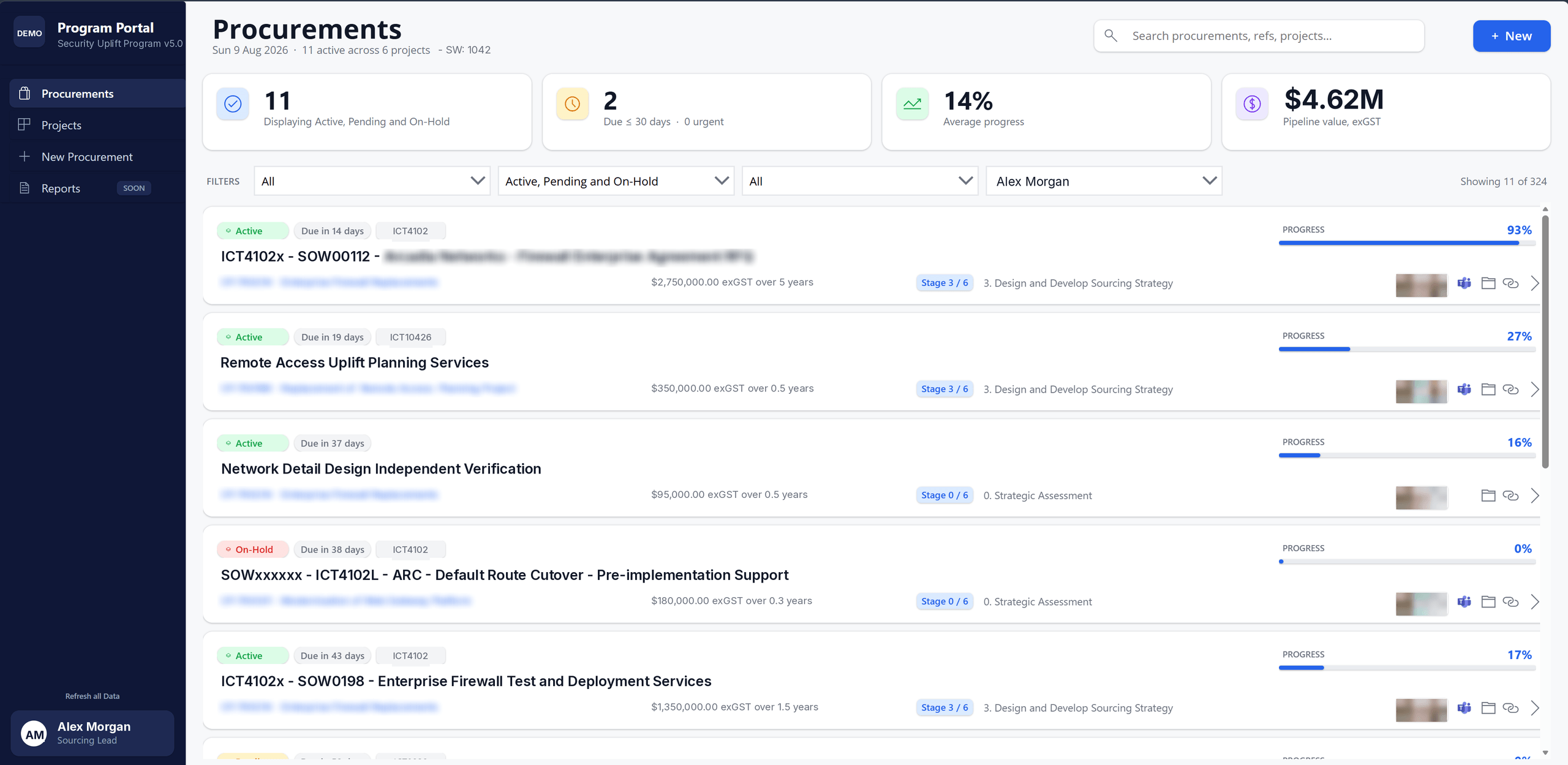
Procurement teams rarely run one activity at a time. The portal opens on the whole pipeline — status, value, stage and progress for every initiative — so a sourcing lead can see what needs attention today without opening a single spreadsheet.
The procurements landing page — active initiatives across all projects, with status, due date, contract value, sourcing stage and progress.
See the whole portfolio
Live counts of active activities, anything due inside 30 days, average progress and total pipeline value — exGST, across every project.
Filter to what matters
Filter by project, status and owner, or search across procurements, references and projects to find an activity in seconds.
Progress you can trust
Each activity carries its stage through a six-stage sourcing lifecycle, so reported progress reflects real position rather than a manual estimate.
The activity view
Drill into a single procurement and see the whole story
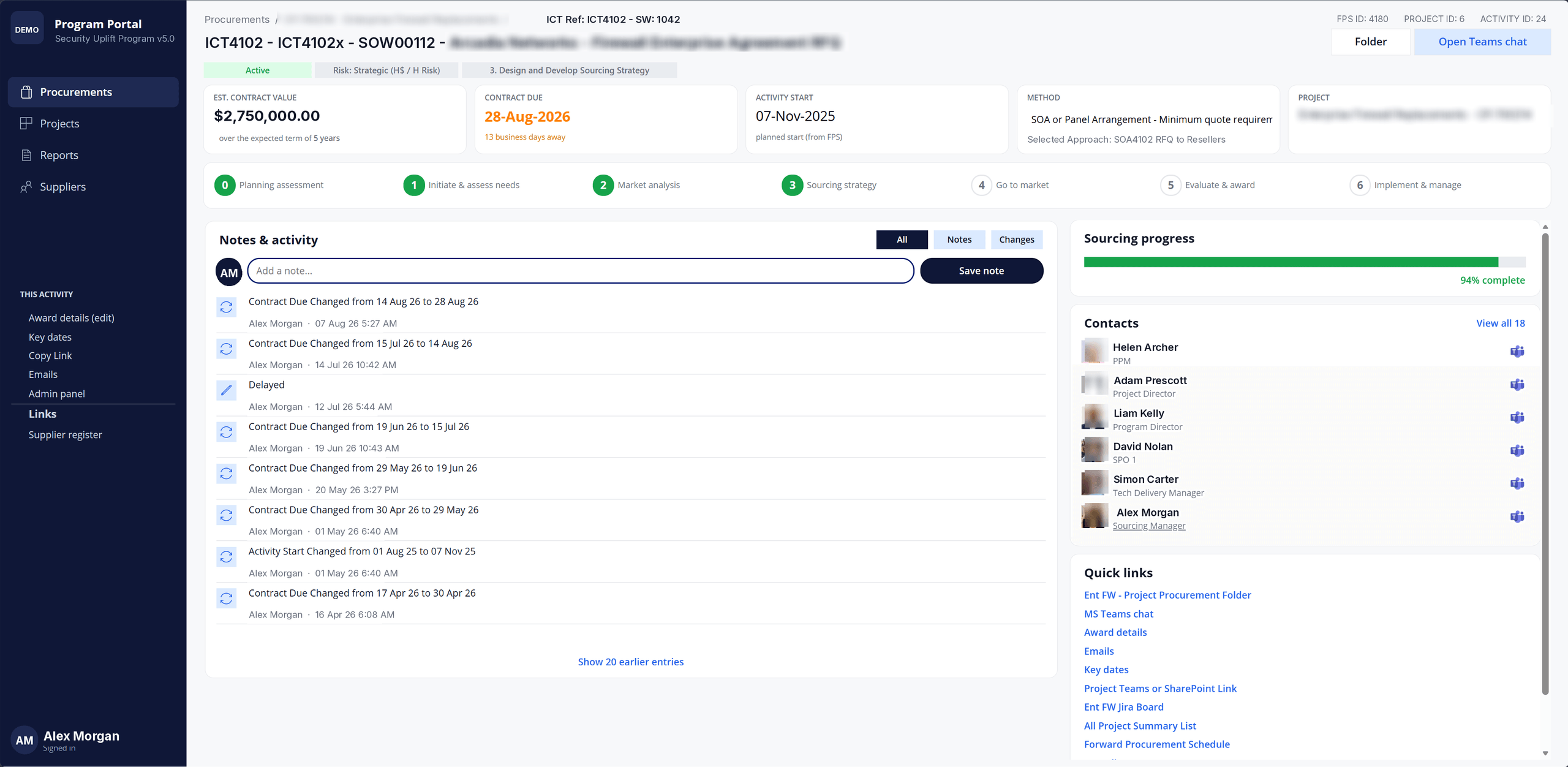
Open any activity for the detail behind it — contract value and term, key dates, procurement method and approach, and where it sits in the sourcing lifecycle. Every change is captured as a dated audit trail, so the decision record is built as the work happens rather than reconstructed at the end.
A single procurement activity — stage tracker, notes and change history, contacts, and quick links into Teams, SharePoint and the project boards.
An audit trail by default
Date changes, status changes and team notes are recorded against the activity with author and timestamp — the evidence an audit asks for, without extra effort.
The right people, visible
Every contact on the activity — project director, delivery manager, sourcing manager — with one click through to a Teams conversation.
Joined to where you work
Quick links carry the team straight to the procurement folder, Teams chat, award details, key dates and the forward procurement schedule.
A walk through the portal
From raising a request to running each stage
Work moves through a six-stage sourcing lifecycle. These are six views from that journey — click any screenshot to see it full size.
01
Start from the project
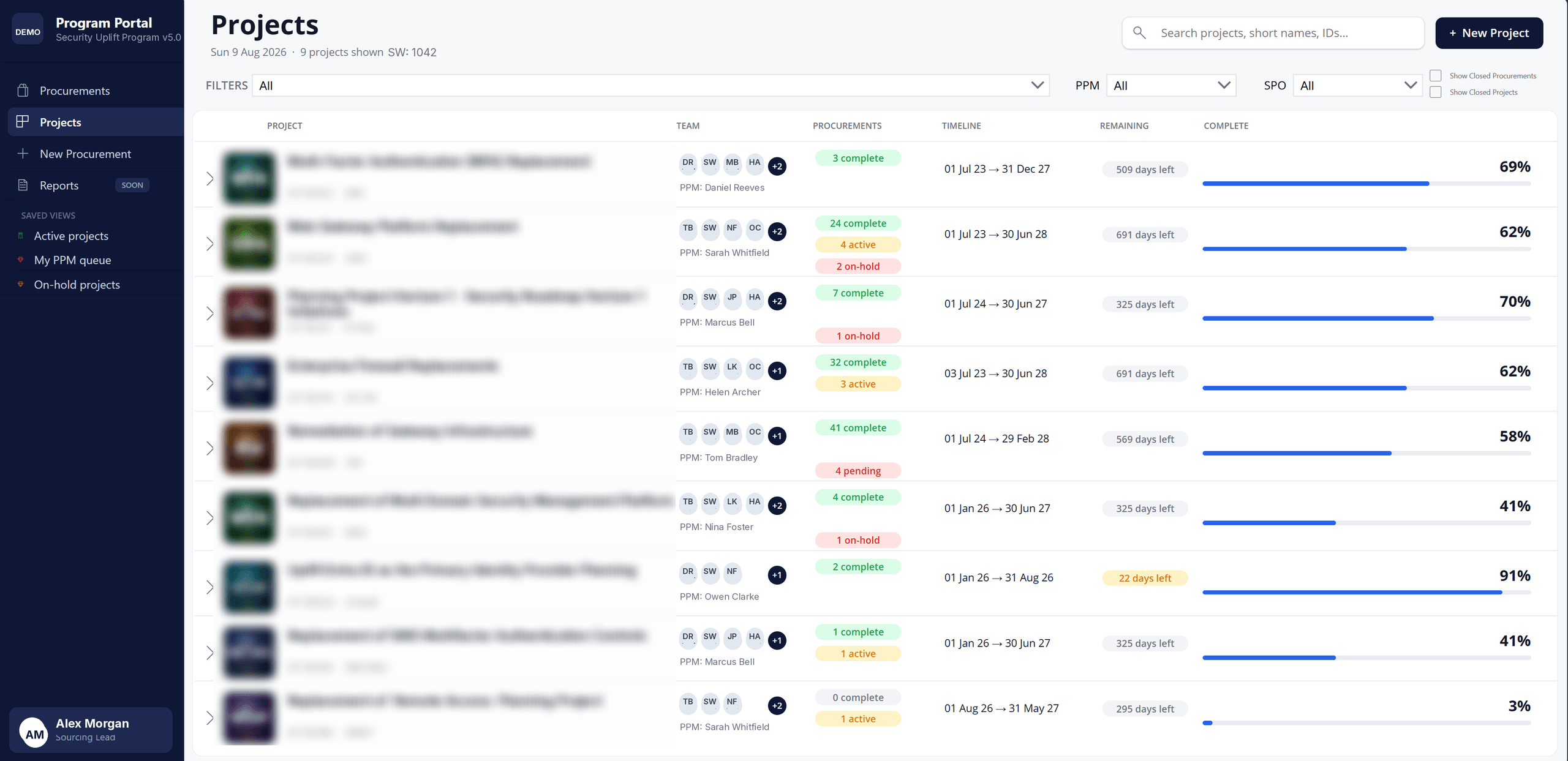
Every procurement belongs to a project. The Projects view lists each one with its team, its counts of complete, active, on-hold and pending procurements, the delivery window and how far through it is — so a program manager can see where the work sits before opening anything.
02
Raise a request without the guesswork
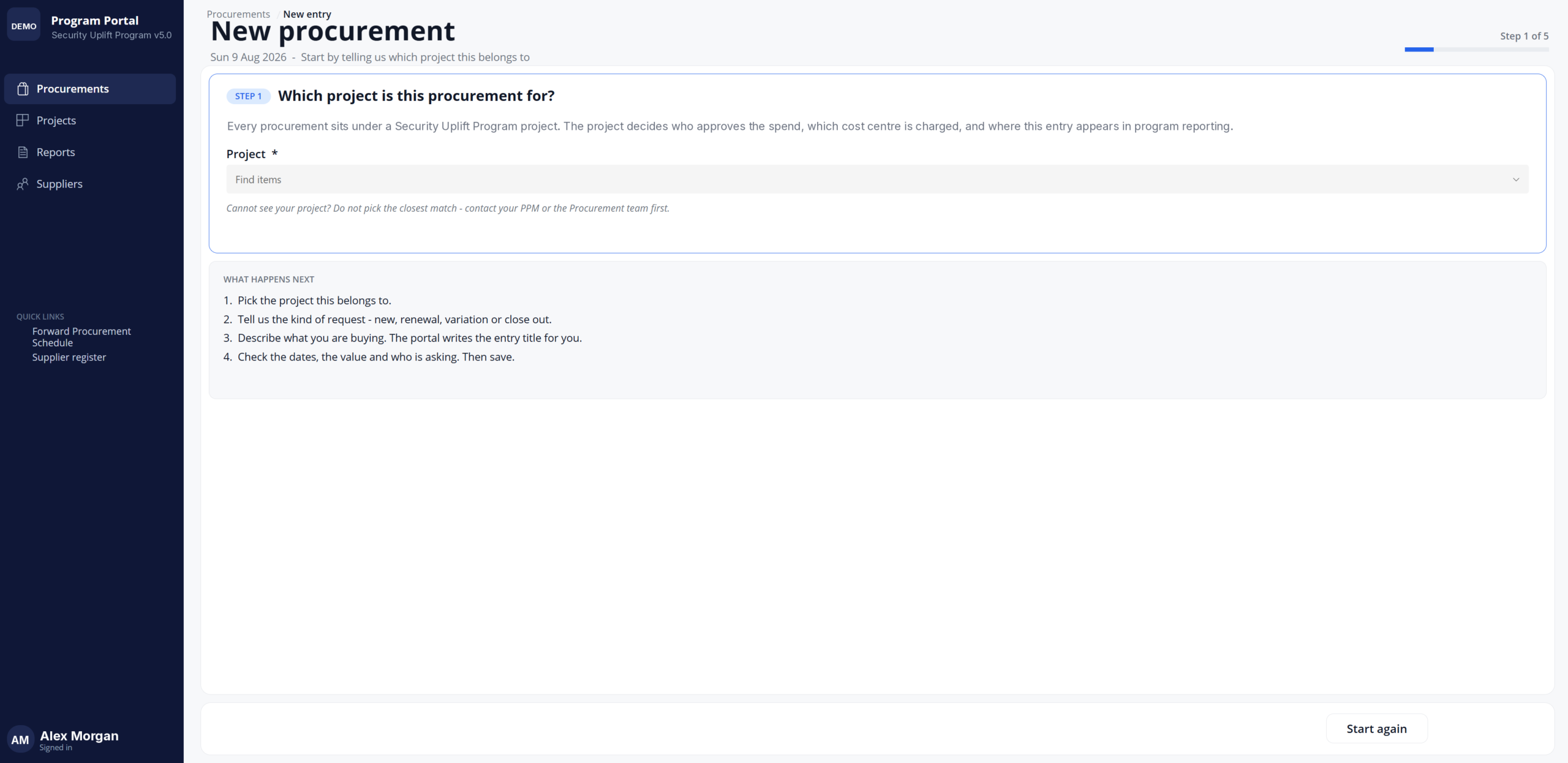
New procurements are raised through a guided five-step form. It opens by asking which project the request belongs to, because the project decides who approves the spend, which cost centre is charged and where the entry appears in reporting.
The portal writes the entry title itself, and if the requester cannot find their project it tells them to check with the PPM rather than pick the closest match.
03
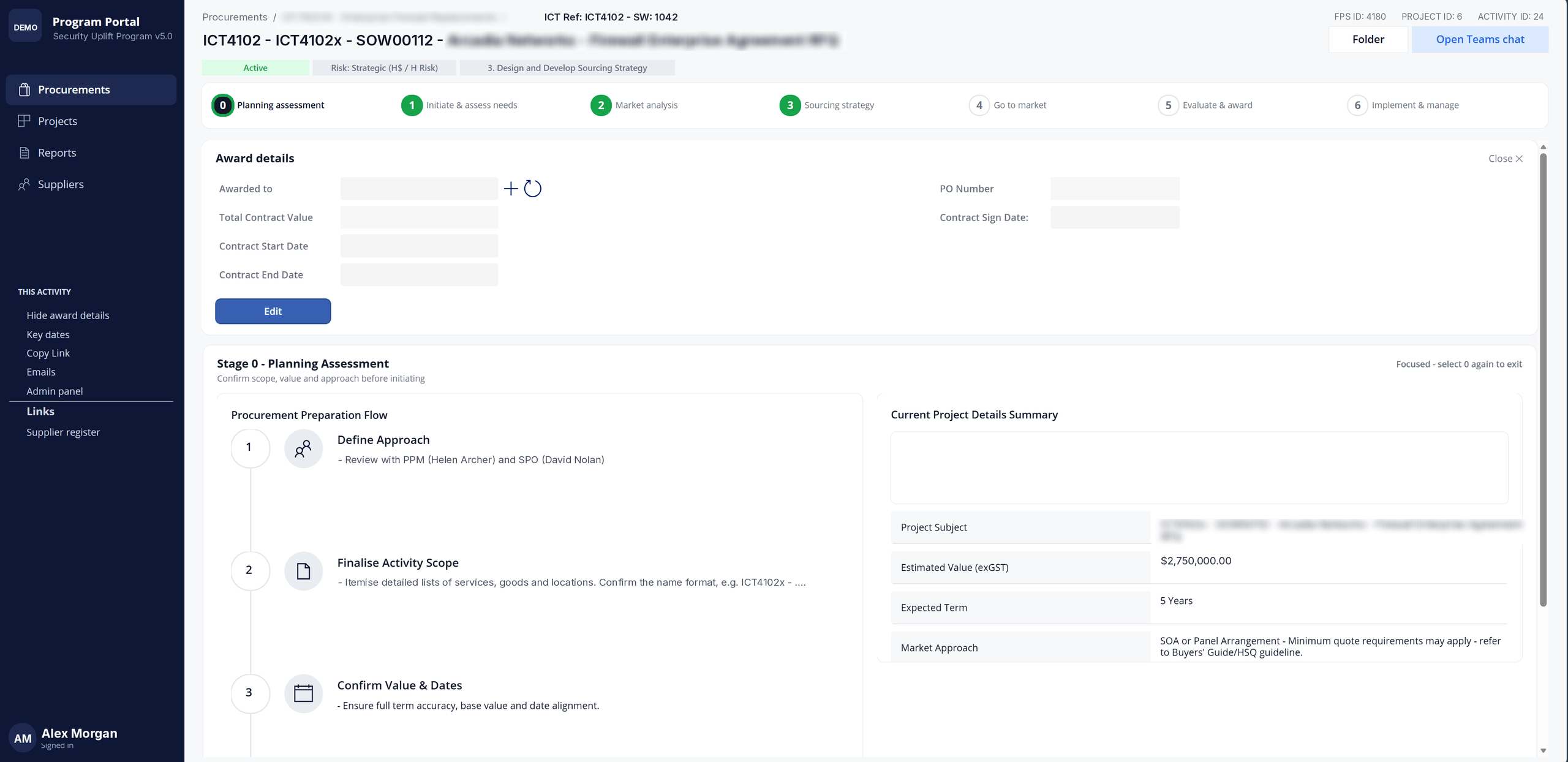
Confirm scope and value before anything starts
Stage 0 walks the lead through defining the approach with the PPM and sourcing officer, finalising the activity scope, and confirming value and dates — with the project subject, estimated value, expected term and market approach on screen beside it.
04
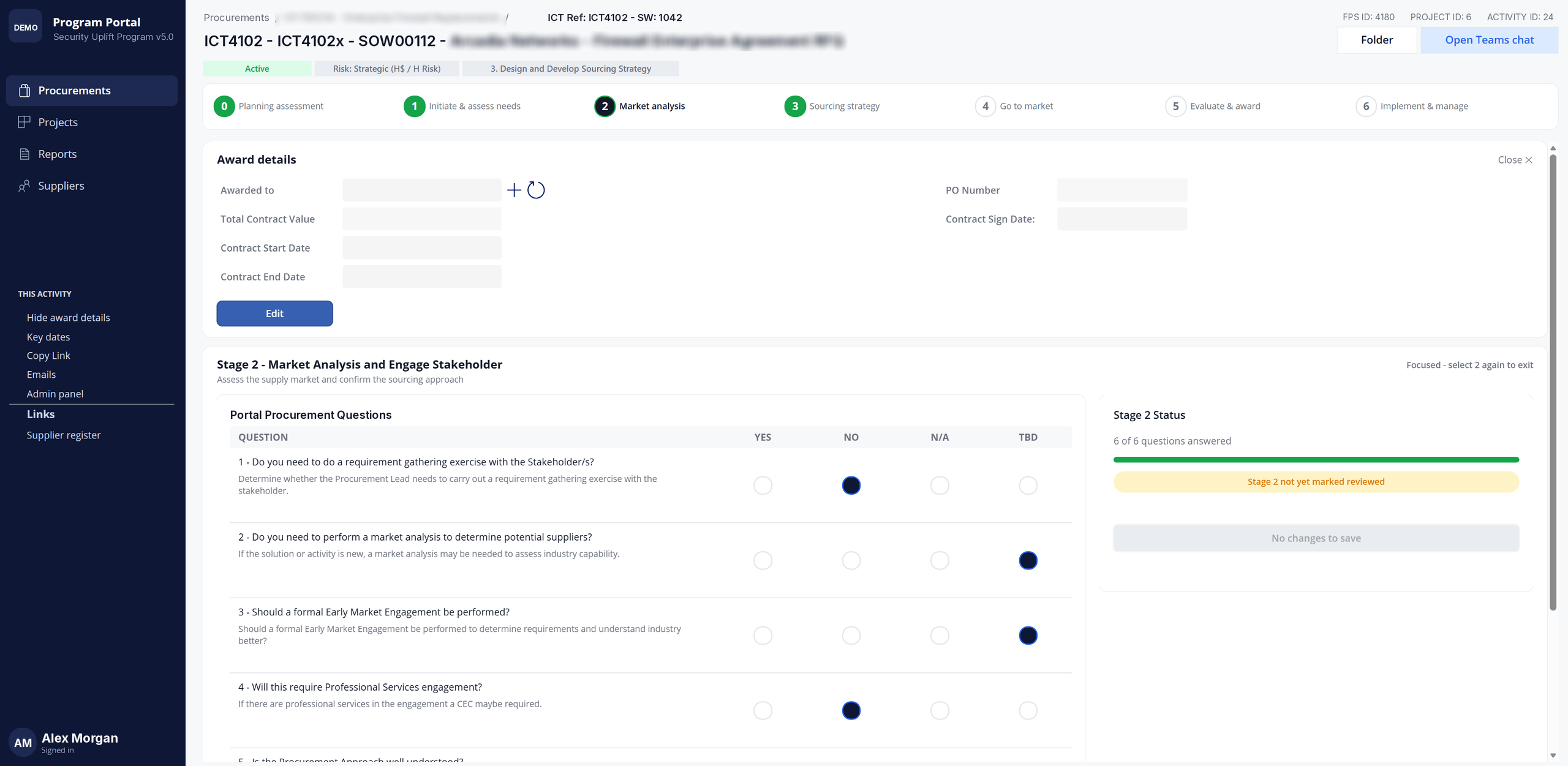
Answer the questions that set the approach
Each stage asks a structured set of questions — whether a requirement gathering exercise is needed, whether a market analysis or a formal early market engagement should happen, whether professional services are involved.
Answers are yes, no, not applicable or to be determined, and the stage tracks how many have been answered and whether it has been marked reviewed.
05
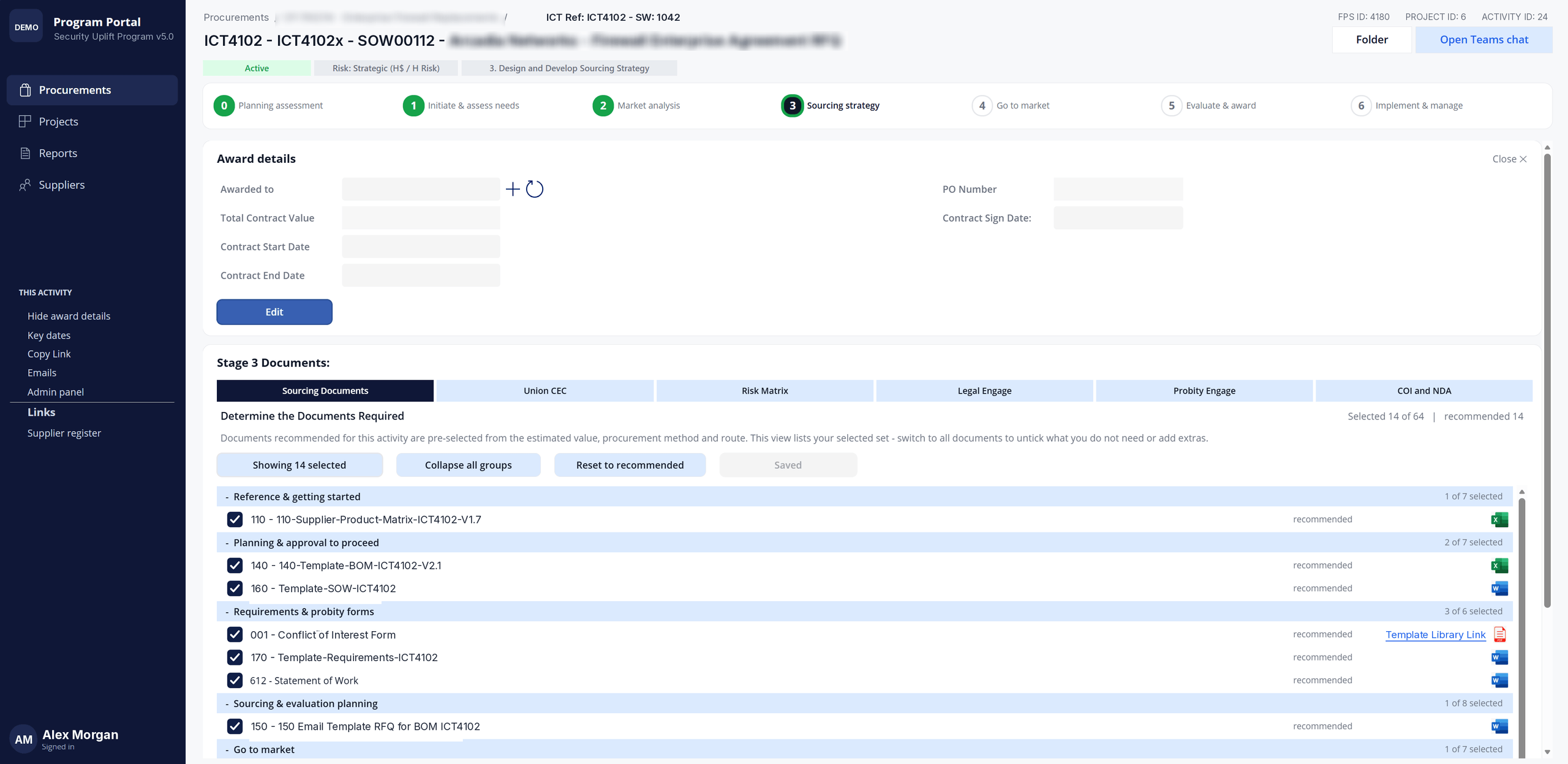
The document set, chosen for you
Stage 3 pre-selects the documents an activity needs from its estimated value, procurement method and route — here, 14 recommended from a library of 64 — grouped from reference material through requirements and probity forms to go-to-market.
The team can untick what does not apply, add extras, or reset to the recommended set at any point.
06
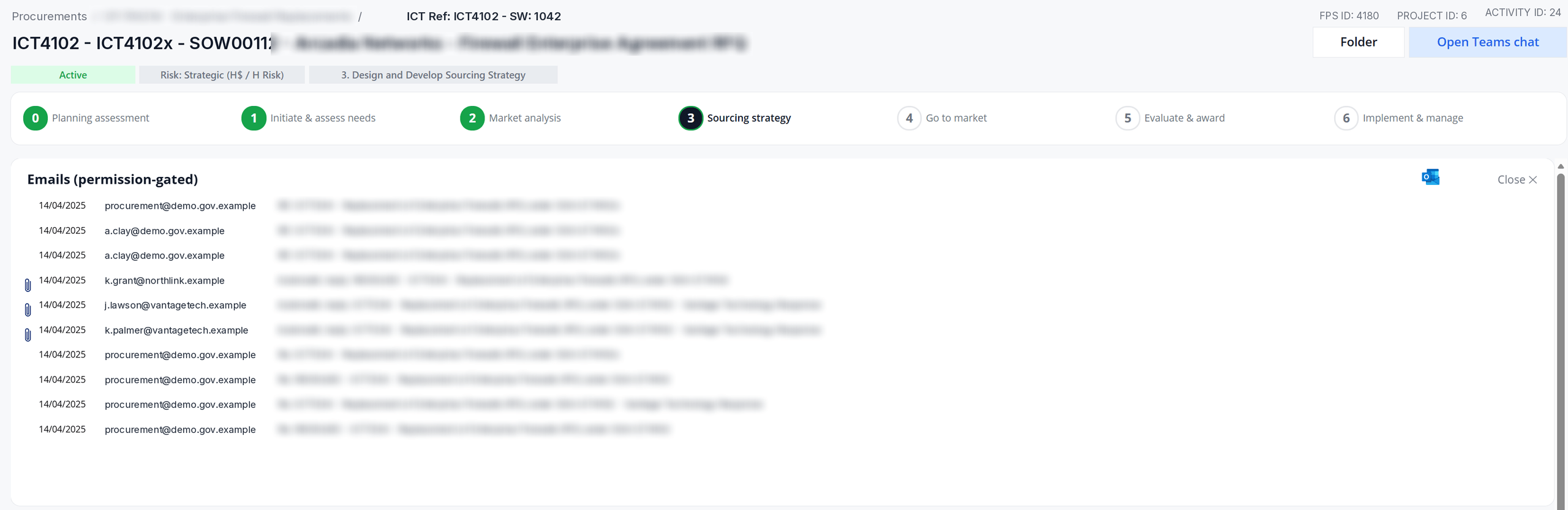
Correspondence kept with the activity
Procurement email threads sit against the activity itself — date, sender, subject and attachments — so the record of what went to market and what came back does not live in one person’s mailbox. Access is permission-gated.
Hosting and data sovereignty
Your tenant, your security, your data
The portal is a customised Power Apps solution, and there are two ways to run it. Most government departments choose the first.
Option 1
Deployed in your own Microsoft environment
The solution is installed into your department’s own Microsoft tenant. It runs under your existing identity, security and compliance controls, and is administered by your people alongside the rest of your Microsoft 365 estate.
Your data never leaves your environment, so sovereignty stays with your department.
Option 2
Hosted by GovP2P in a dedicated Managed Operating Environment
Where a department would rather not run it in-house, GovP2P hosts the solution in a dedicated Managed Operating Environment — a separate environment for your department, managed and supported by us.
See the portal against your own pipeline
We will walk you through it with your procurement activity, not a generic demo.